Upgrading your subscription plan in REIChat.AI is quick and easy. Follow these simple steps:
Step-by-Step Guide
-
Access the Homepage
-
Navigate to the REIChat.AI homepage and log in to your account.

-
-
Go to Account Settings
-
Click on the Account option in the main menu.

-
-
Open the Subscription Page
-
Select Subscription from the dropdown menu.

-
-
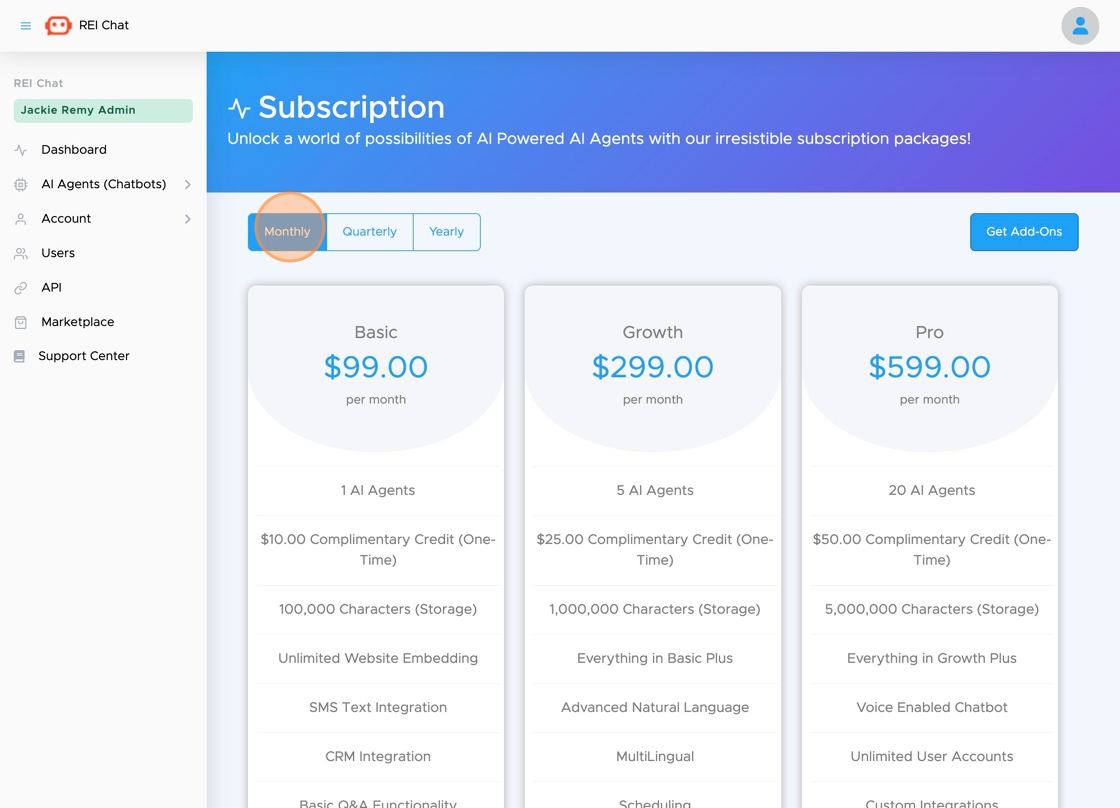
Choose Your Billing Frequency
-
Select one of the available billing options:
-
Monthly
-
Quarterly
-
Yearly
-
-
For this example, "Monthly" was chosen.
-
-
Change Your Subscription
-
Click the Change Subscription button to proceed.

-
-
Confirm Your Changes
-
Click the Change button to finalize your selection.

-
-
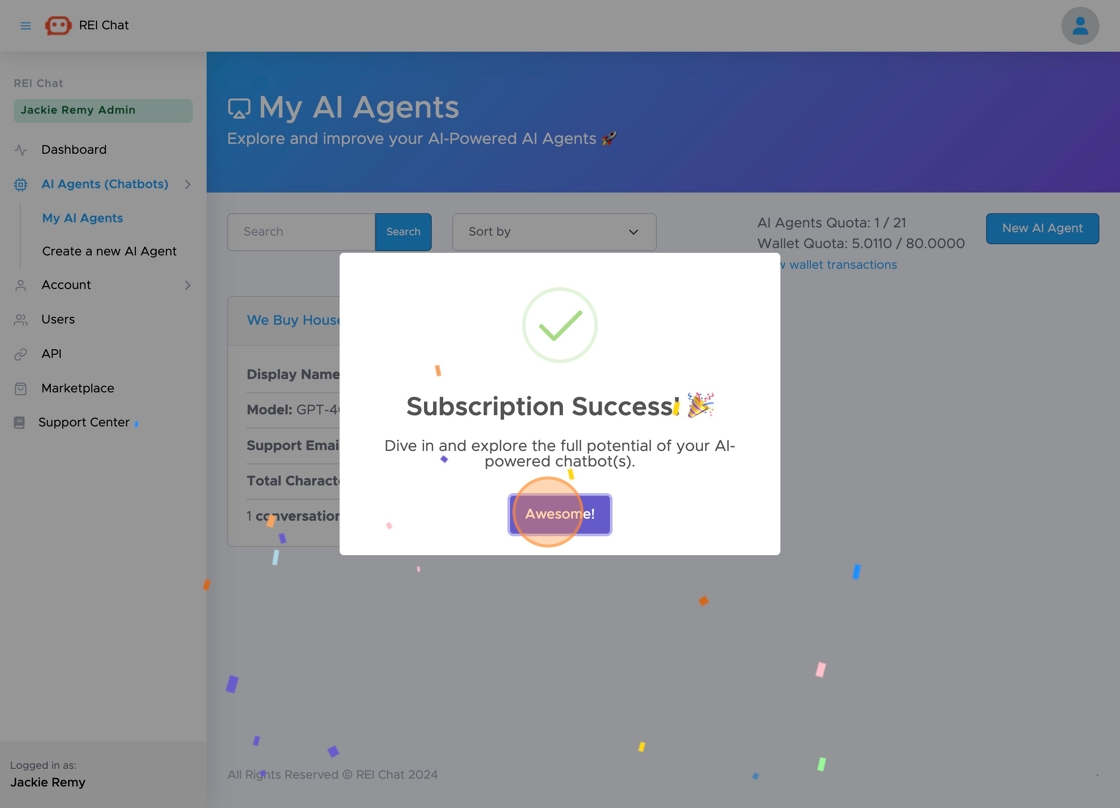
Success Message
-
A confirmation screen will appear. Click Awesome! to complete the process.
-
You're All Set!
Your subscription plan has been successfully upgraded. If you have any questions or run into issues, our support team is here to help!